📝 Summary
Good morning, everyone! Starting today, I’ll post a bit about AI skills. For those who are interested in AI art but have never really used Midjourney in a full-fledged way, I’ll cover some of the major updates that have recently occurred. 【Midjourne...
🎨 Chinese Prompt
みなさま、おはようございます!
今日から少しAIスキル系について投稿してみます。
AIアートには興味があるけれど、Midjourneyを本格的に操作した事が無い方向けに、最近あった本格的アップデートを扱いますね。
【Midjourney最新アップデート①】
・スタイルクリエイター登場
「プロンプトで画風を説明しなくていい」 新機能。
これまで「この雰囲気、どう言葉にすればいいんだ…」
と悩んでいた人、多いはず。
操作はとてもシンプル。基本は4ステップ
① cat / dog など
シンプルな対象プロンプトを入力
② 表示された画像(Grid画像)から
好みのスタイルを選ぶ。
③ 選択が反映された
新しい画像を確認。
④ 理想に近づくまで
選択と調整を繰り返す
この「選ぶ → 反映 → また選ぶ」
という流れを繰り返すことで、
AIがあなたの好みを徐々に学習していきます。
Midjourney公式いわく
5回ほどリファイン(選択)を繰り返すと
スタイルはかなり安定するとのこと。
しかも完成すると、
**自分専用の「スタイルコード」**が発行され、
人物・風景・動物など
被写体が変わっても
同じ世界観で再利用可能。
これは単なる便利機能ではなく、
「言葉でAIを操る時代」から
「感覚でAIに伝える時代」への大きな一歩。
プロンプトが苦手な人ほど、
このアップデートは革命かもしれません。
あなたならどんな自分専用スタイルを
作ってみたいですか?
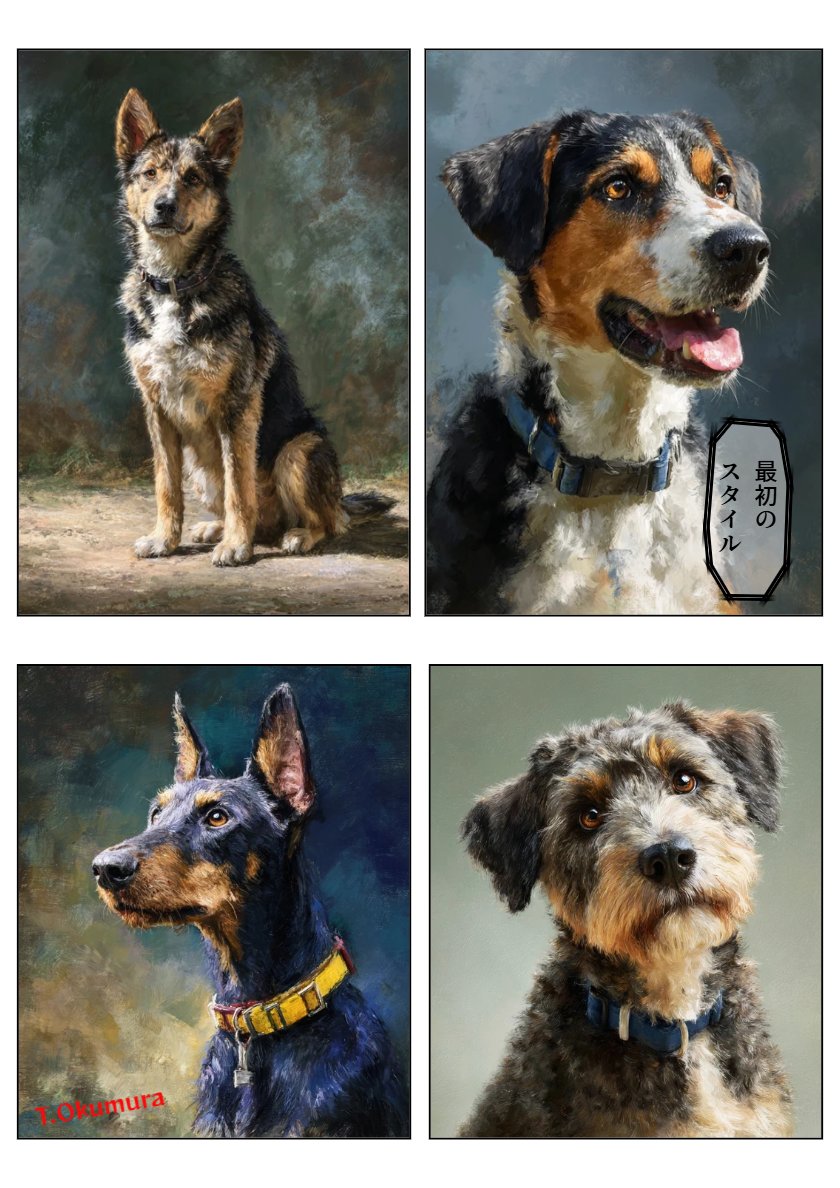
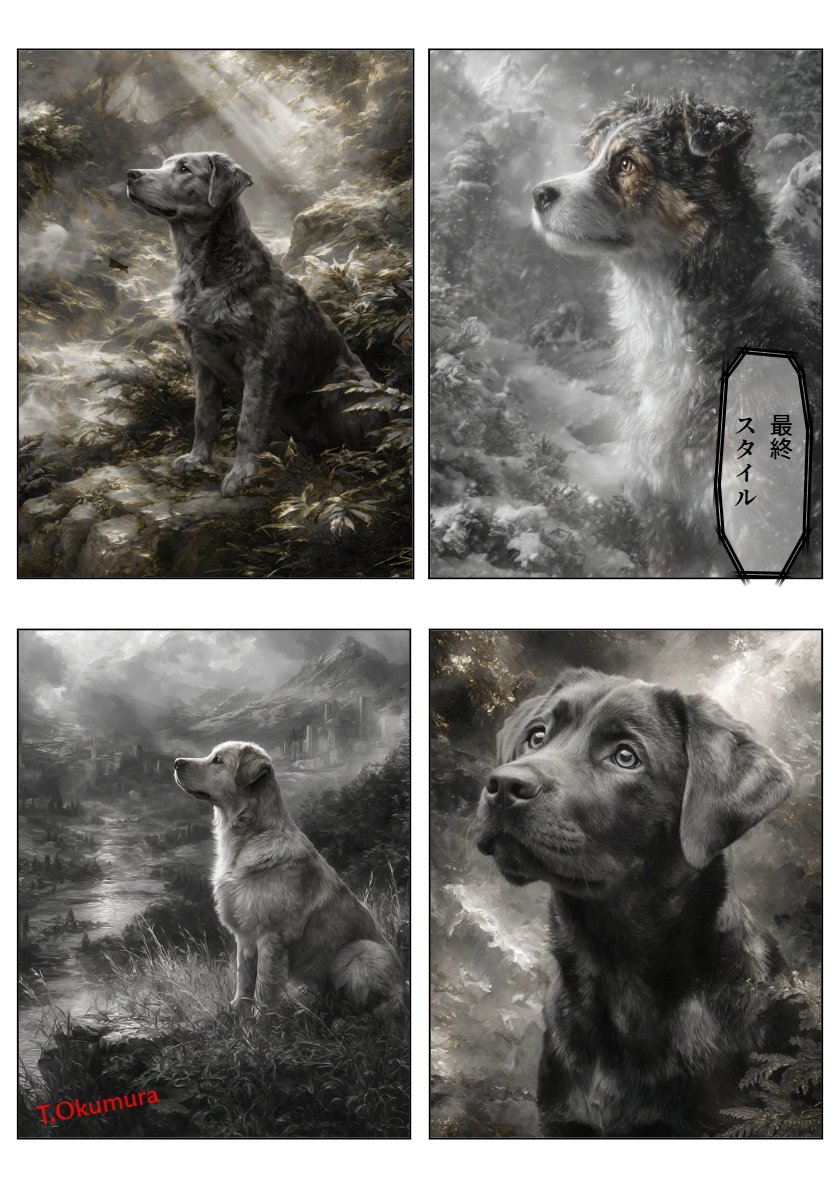
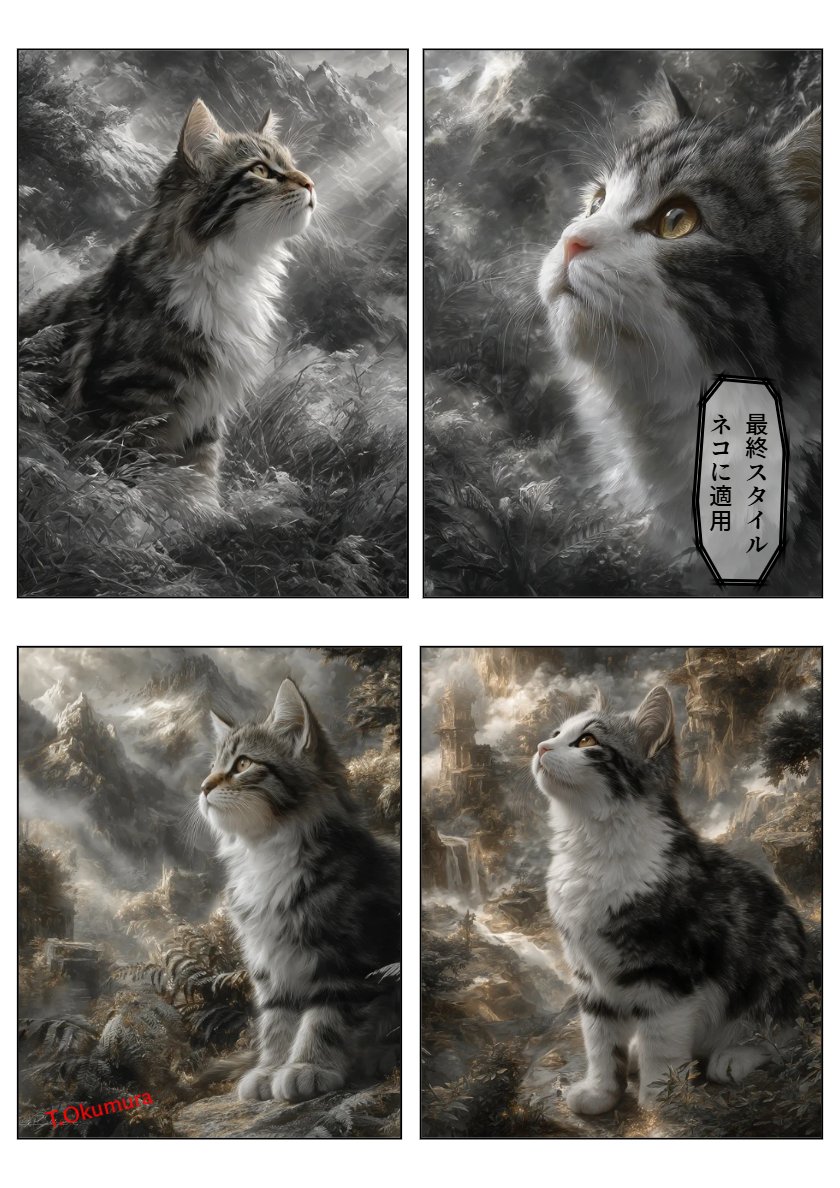
*画像は、①MJでいつものように描いた「犬」。②MJスタイルクリエイター画像Gridで描いた、5度目の「犬」。③②のスタイルコードを適用して描いた「ネコ」。
🎨 English Prompt
Good morning, everyone!
Starting today, I’ll be posting a bit about AI-related skills.
For those who are interested in AI art but have never really operated Midjourney seriously, I’ll be covering a recent major update.
**[Midjourney Latest Update ①]**
- **Style Creator introduced**
A new feature where *you no longer need to describe the art style in the prompt*.
Many people have probably struggled before, thinking:
*"How do I put this vibe into words…?"*
The operation is very simple — basically 4 steps:
1. Enter a simple subject prompt like `cat` or `dog`.
2. From the displayed images (Grid images), choose your preferred style.
3. Check the new images where your selection has been applied.
4. Repeat selecting and adjusting until it’s close to your ideal.
By repeating this cycle of *choose → apply → choose again*,
the AI gradually learns your preferences.
According to Midjourney’s official statement,
after about 5 refinements (selections),
the style becomes quite stable.
And once it’s complete, you’ll get
**your own personal “style code”**,
which you can reuse in the same worldview
even if the subject changes — whether it’s people, landscapes, or animals.
This isn’t just a convenient feature,
it’s a big step forward from *the era of controlling AI with words*
to *the era of conveying to AI through intuition*.
For those who struggle with prompts,
this update could be a revolution.
What kind of personal style would you create?
*Images:
① “Dog” drawn in MJ as usual.
② “Dog” drawn for the fifth time using the MJ Style Creator image Grid.
③ “Cat” drawn by applying the style code from ②.*
📷 Images