📝 内容摘要
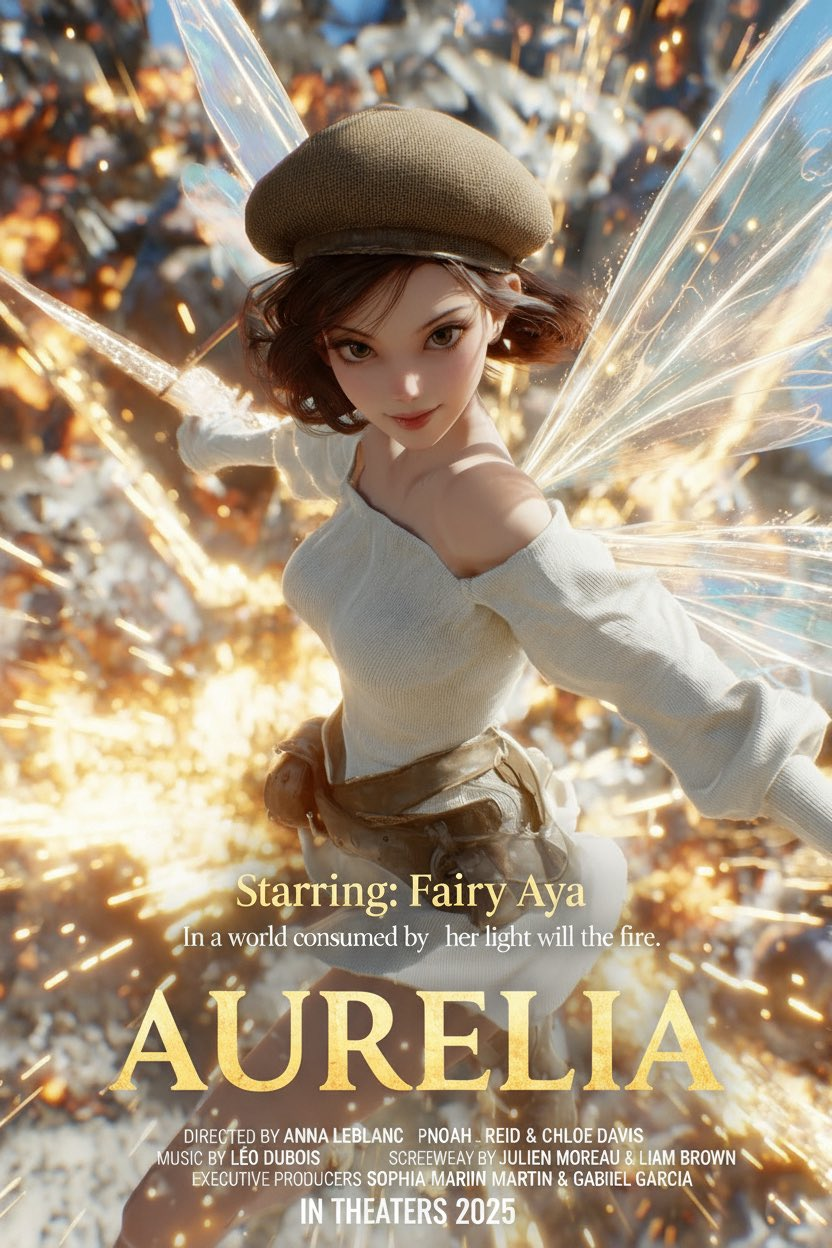
制作电影海报 - Nano Banana AI图片生成案例
🎨 中文提示词
分析上传的照片,检测其中的主体、情绪和氛围。
自动将照片归类到合适的电影类型(爱情、动作、悬疑、恐怖等)。
根据检测到的类型和氛围,用英文生成以下内容:
- 电影标题:具有冲击力,符合该类型风格。
- 短标语 / 宣传语:1–2 行,具有戏剧性或情感渲染。
- 底部制作信息:包括导演、制片、音乐等虚拟姓名,风格类似真实电影海报。
- 上映信息:如 “COMING SOON” 或 “In Theaters 2025”。
将上述元素叠加在照片上,呈现电影海报风格:
- 标题显著展示在中央或下三分之一位置。
- 标语置于标题上方或下方。
- 制作信息放在底部,文字较小。
- 上映信息置于底部中央。
- 最后添加主演信息,格式固定如下:
"Starring: <演员姓名>"
字体要求:粗体、戏剧性、符合电影类型。
最终效果应看起来像真实的电影院海报,所有元素与照片的情绪和氛围协调一致。
🎨 英文提示词
Analyze the uploaded photo to detect its main subject, mood, and atmosphere.
Automatically categorize the photo into an appropriate film genre (romance, action, mystery, horror, etc.).
Based on the detected genre and mood, generate the following content in English:
- **Movie Title:** Impactful and fitting the style of the genre.
- **Tagline / Slogan:** 1–2 lines, dramatic or emotionally evocative.
- **Bottom Credits:** Include fictional names for director, producer, composer, etc., styled like a real movie poster.
- **Release Information:** Such as “COMING SOON” or “In Theaters 2025.”
Overlay these elements onto the photo to create a movie poster style:
- The title prominently displayed in the center or lower third.
- The tagline placed above or below the title.
- Credits at the bottom in smaller font.
- Release info at the bottom center.
- Add starring information in the following fixed format:
**"Starring: <Actor Names>"**
Font style: bold, dramatic, matching the genre.
The final result should resemble a real movie poster, with all elements harmonized to match the photo’s mood and atmosphere.
📷 图片